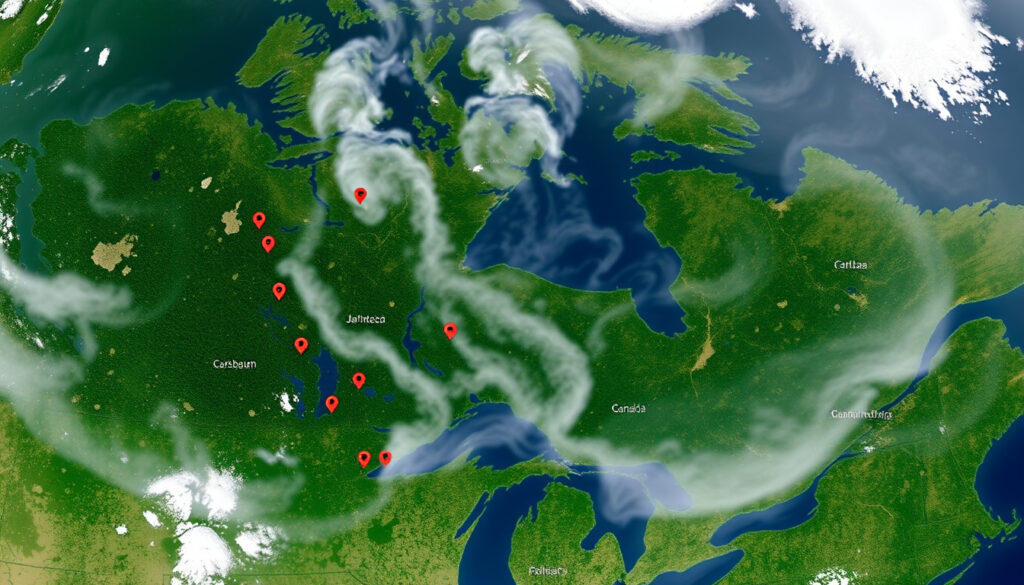
NASA Fire Map Canada: How to Use Live Satellite Fire Data
Most wildfire maps show you smoke from yesterday. The NASA FIRMS US/Canada map delivers fresh satellite detection data every one to three hours, giving you a near-real-time view of active fires across the country. This guide walks you through the official NASA FIRMS US/Canada map, explains how to use it, and compares the two satellite systems behind the data.
Satellites in use: MODIS (Terra & Aqua) and VIIRS (Suomi NPP & NOAA-20) ·
Update frequency: Near real-time, every 1–3 hours ·
Coverage area: United States and Canada ·
Data formats: KML, SHP, GeoJSON, CSV ·
Official URL: firms.modaps.eosdis.nasa.gov/usfs/map/
Quick snapshot
- NASA FIRMS is maintained by NASA and the University of Maryland (NASA FIRMS Web Services tutorial video)
- MODIS has ~1 km spatial resolution; VIIRS has ~375 m (NASA ARSET training video)
- Data is near-real-time but not instantaneous (NASA ARSET training video)
- Exact update time may vary due to satellite orbits and processing delays (NASA ARSET training video)
- Cloud cover can obscure fire detections (NASA ARSET training video)
- Very small or low‑intensity fires may not be detected (NASA FIRMS documentation)
- Data available within 5 minutes of satellite observation (NASA ARSET training video)
- Default map shows current day; supports going back 31 days (NASA ARSET training video)
- Increased reliance on VIIRS for better small-fire detection (NASA ARSET training video)
- Integration with Canadian fire agency data (CIFFC) expected to improve (NASA FIRMS documentation)
The table below gives you the essential technical specs at a glance — four key rows that define what the map is and how fast it works.
| Developer | NASA / University of Maryland |
| Data source | MODIS (Terra & Aqua) and VIIRS (Suomi NPP & NOAA‑20) |
| Coverage | United States and Canada |
| Update interval | Near real‑time (every 1–3 hours) |
Why this matters: The update interval means you’re not looking at smoke from yesterday — but cloud and processing delays mean no satellite map replaces ground confirmation.
What is the NASA Fire Map for Canada?
Overview of NASA FIRMS
NASA FIRMS (Fire Information for Resource Management System) is a global, near-real-time system that uses satellite imagery to detect active fires. The NASA FIRMS fire data portal combines value-added data products for wildfire management organizations and impacted individuals (NASA FIRMS Web Services tutorial video).
US/Canada Fire Map specific
The dedicated US/Canada interface lives at firms.modaps.eosdis.nasa.gov/usfs/map/. It covers the continental United States and Canada, including Alaska, and offers the same satellite data as the global map but with a tighter geographic focus and additional Fire Behavior layers from the US Forest Service (NASA ARSET training video).
The implication: For anyone living in Canada, the US/Canada map is the most direct way to get MODIS and VIIRS fire data without sifting through global layers.
A fully validated VIIRS detection can appear within minutes of a satellite pass, but a low-confidence detection — especially from MODIS at 1 km — may take hours to confirm. The trade-off: speed versus accuracy.
How to Access the Live Satellite Fire Map for Canada?
Step 1: Go to FIRMS US/Canada page
Open your browser and navigate to firms.modaps.eosdis.nasa.gov/usfs/map/. No registration or login is required (NASA FIRMS documentation).
Step 2: Use the interactive map
The map defaults to the current day. Pan and zoom to your area of interest. Use the layer control on the right to toggle between MODIS and VIIRS fire detections, and to add basemaps such as satellite, terrain, or dark (NASA ARSET training video). You can also switch from ‘Today’ to ‘Historical’ to go back up to 31 days (NASA FIRMS tutorial video).
Step 3: Filter data by time and satellite
Click the information icon (ℹ) to see the date and time range of currently displayed fires. You can adjust the time display to local time or Greenwich Mean Time (NASA FIRMS tutorial video). Hovering over a hotspot shows attributes: coordinates, brightness, acquisition time, fire radiative power, confidence, and whether day or night bands were used (NASA FIRMS tutorial video).
The pattern: Most first-time users get stuck on the date range. The key is simply clicking the ‘Historical’ tab — otherwise you only see today’s fires.
Which Satellite Data Does NASA Use for Active Fire Detection?
MODIS on Terra and Aqua
MODIS (Moderate Resolution Imaging Spectroradiometer) flies on two satellites: Terra (morning pass) and Aqua (afternoon pass). Its spatial resolution is about 1 km per pixel, meaning it can detect fires roughly the size of a football pitch. Each satellite passes over the same area roughly twice per day (NASA ARSET training video).
VIIRS on Suomi NPP and NOAA-20
VIIRS (Visible Infrared Imaging Radiometer Suite) operates on Suomi NPP and NOAA-20. At 375 m resolution, it picks up smaller fires that MODIS might miss. Both instruments use thermal anomaly detection algorithms that compare the brightness temperature of a pixel against its neighbours (NASA FIRMS Web Services tutorial).
The comparison below shows the key differences:
| Feature | MODIS | VIIRS |
|---|---|---|
| Spatial resolution | ~1 km | ~375 m |
| Satellites | Terra, Aqua (2) | Suomi NPP, NOAA-20 (2) |
| Overpass frequency per day | 2–4 | 2–4 |
| Better for small fires? | No | Yes |
| Thermal bands used | 21, 22, 31, 32 | I4, I5, M10, M11 |
| Fire Radiative Power included? | Yes | Yes |
The trade-off: MODIS offers a longer historical record (since 2000) but VIIRS gives you sharper and faster detection of small fires. If you’re monitoring a remote boreal forest zone, VIIRS is usually the better choice.
How to Use NASA Fire Map Data in Google Earth?
Download KML file from FIRMS
On the FIRMS US/Canada map, click the ‘Download’ icon and choose KML. The file will contain active fire points representing the current time window (NASA FIRMS tutorial video).
Open in Google Earth Desktop or Web
Open Google Earth Pro (free) or use the web version. Go to File > Open and select the downloaded KML. Each fire point displays its acquisition time, satellite source, and confidence level (NASA ARSET training video). You can overlay additional layers such as Canadian Wildland Fire Information System perimeters to correlate satellite spots with ground-mapped fires.
Why this matters: KML files make it trivial to combine NASA fire data with local geographic information. It’s the easiest way for a GIS-inexperienced user to see where a fire is relative to roads, communities, or other points of interest.
Are There NASA Fire Maps for Europe and Other Regions?
Global FIRMS fire map
The global FIRMS map at firms.modaps.eosdis.nasa.gov covers the entire planet with the same MODIS and VIIRS data (NASA FIRMS Web Services tutorial). The user interface is essentially the same as the US/Canada map, but the default view spans the globe.
EFFIS for Europe
The European Forest Fire Information System (EFFIS) provides complementary fire maps for Europe, based partly on the same satellite data but with added analysis from the European Commission’s Joint Research Centre. While NASA’s map shows raw active fire detections, EFFIS adds classified fire danger levels and burned area estimates (NASA ARSET training video).
The pattern: No single map serves all regions equally. For Canada, the US/Canada FIRMS map is the most direct source. For Europe, EFFIS gives you more contextual risk data. But both ultimately rely on the same underlying satellite detections.
“NASA FIRMS combines value-added data products for wildfire management organizations and impacted individuals.”
NASA FIRMS Web Services tutorial (official NASA video)
“FIRMS hotspot attributes include coordinates, brightness, acquisition time, fire radiative power, confidence, and whether day or night bands were used.”
NASA FIRMS tutorial (NASA ARSET training)
Confirmed vs. Unclear
Confirmed facts
- NASA FIRMS is maintained by NASA and the University of Maryland (NASA documentation)
- MODIS has ~1 km spatial resolution; VIIRS has ~375 m (NASA ARSET training video)
- Data is near real-time but not instantaneous (NASA ARSET training video)
- Fire map is free to use without registration (FIRMS map page)
- Data available within 5 minutes of satellite observation (NASA ARSET training video)
What’s unclear
- Exact update time may vary due to satellite orbits and processing delays (NASA ARSET training video)
- Cloud cover can obscure fire detections (NASA ARSET training video)
- Very small or low‑intensity fires may not be detected (NASA FIRMS documentation)
A final perspective from the research: the satellite data is a powerful, near-real-time tool, but it still requires human interpretation. For a Canadian fire manager, the choice is clear: use VIIRS data for spotting new ignitions and cross-reference with ground reports, or rely on MODIS for a longer historical baseline. The map works best when you know what it cannot see.
For a different perspective on fire-related mapping in Canada, check out the Ring of Fire Ontario map which covers mineral development rather than wildfires.
Frequently asked questions
Can I use the NASA fire map on my mobile phone?
Yes. The FIRMS web map works in mobile browsers and displays the same interactive interface. There is no official FIRMS mobile app, but the site is responsive on smartphones (NASA ARSET training video).
What is the difference between FIRMS and the US/Canada fire map?
The US/Canada fire map is a sub‑site of the global FIRMS system that focuses on fire data for the United States and Canada. It includes additional layers from the US Forest Service but uses the same satellite data (FIRMS US/Canada map).
How can I view historical fire data?
On the FIRMS map, switch from ‘Today’ to ‘Historical’ in the top menu. You can select a range from 1 to 31 days ago (NASA FIRMS tutorial video).
Does the map include fires in Alaska?
Yes. The US/Canada fire map covers the continental United States and Canada, including Alaska (FIRMS US/Canada map page).
How to embed the NASA fire map on my website?
FIRMS does not provide an official embed code. You can link to the map directly or use the FIRMS API to fetch data tiles for custom applications (NASA FIRMS Web Services tutorial).
How does the fire map handle false positives from industrial heat sources?
The detection algorithms include confidence filters. You can view the confidence attribute for each detection in the hotspot popup. Low-confidence detections from gas flares or industrial heat can be toggled off by choosing a higher confidence threshold (NASA ARSET training video).
More related posts
 Can You Freeze Cheese? A Practical Guide to Freezing and Thawing
 Naheed Nenshi: Biography, Personal Life, and Career
 Sadie Robertson: Kids, Husband, Net Worth, and More
 Funny Hilarious Happy Birthday Meme: Silly Wishes & Quotes
 Who Is the Local Candidate for the Liberal Party? 2025 Finder
 Marilyn Monroe Death: Unanswered Questions and Facts
 Shin Hye-sun: Biography, Upcoming Drama, and Career Facts
 Perfect Book: Rachel Joyce, Ellen Hopkins & Charlie Kirk